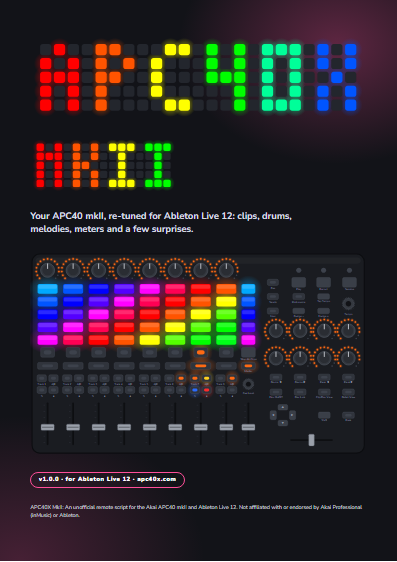
That APC40 mkII on your shelf just woke up.
Step sequencers, pads in Live's scale, audio chops and meters. On the controller you already own.
An unofficial remote script for Ableton Live 12.3+ · Windows and macOS · every update free
Your clips, as always.
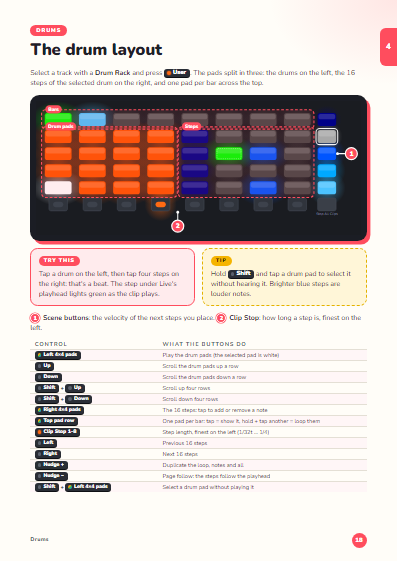
Program beats on the pads.
Sixteen drum pads on the left, the selected drum's steps on the right, five velocities on the scene buttons.
Every pad in key.
The pads follow Live's scale and root, and Live follows the pads. Rows a fourth apart: chord shapes stay put.
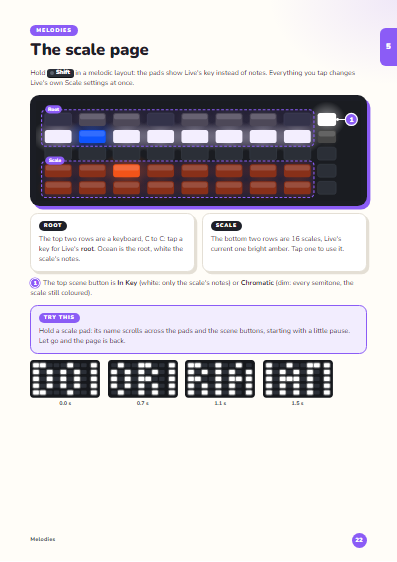
Sixteen scales, one hold away.
Hold Shift on a synth track: the root and 16 scales. Hold a scale and its name scrolls by.
Melodies, step by step.
Steps on top, a keyboard in your scale below. Pick a key, tap steps; hold a step for chords.
Chop audio live, in time.
Every row a timeline, a bar down to 1/16. Hold a pad: that slice loops. Let go: back in time.
Your mix, on the grid.
Shift + Bank: VU meters on the pads, the master on the scene buttons.
Play the whole unit.
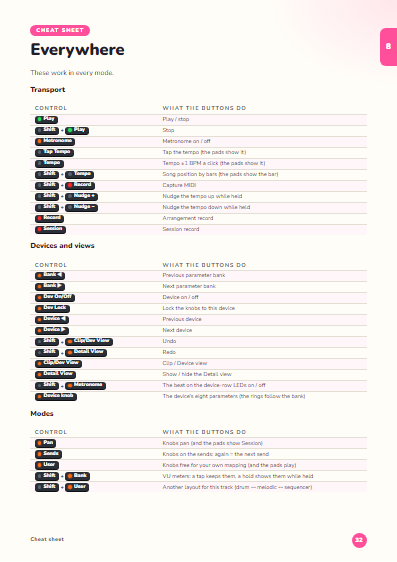
The same set as at the top, eight tracks: launch clips, mute and solo, ride the faders, press User on any track.
- Pads and scene buttons launch clips · Clip Stop stops a track
- Track On, Solo, Arm, A/B · drag the faders and the knobs
- Track Select picks a track · User: its Note layout · Pan: Session
- Nudge + duplicates the loop, Nudge − page follow, ◀ ▶ pages, ▲ ▼ octaves
- A button with a Shift function shows it: let go on it, or click it
- Tap a fader or a knob: a big slider
- A button with a Shift function shows it: tap it
What you get
The script
One folder for Live's User Library. Pick it in Preferences, restart Live, play.
A 39-page manual
Every mode, every button, every colour, illustrated with what the script really lights.
Every update, free
For every future version. Your download stays in your Gumroad library.
What you need
Questions
Are the pads velocity-aware now?
No: the APC40 mkII's pads always send full velocity, and no script can change that for notes you play. The sequencers set velocity per step (five levels, or hold one for ghost notes).
Does it work on a Mac?
Yes. It's tested on macOS and Windows, with Live 12.3 and later.
Will I lose what Live's own APC40 mkII script does?
No. Session, mixer, sends, devices and transport work as before. Live's own script stays one click away in Preferences.
Is it a Push?
No. It gives the APC40 mkII a Push-style workflow with the APC's own hardware: no screen and no note repeat, but everything shows on the pads and in Live's status bar.
Do I pay for updates?
Never. Every future version is free for everyone who has APC40X MkII.
Wake yours up.
And it still launches clips: Session, mixer, sends, devices and transport work as you know them.